You've got a long Word file that needs to become several clean files, and the right word document splitter depends on what defines the breakpoints. If the file is already paginated, a page splitter is fine. If the document uses headings, section breaks, manual page breaks, or a code-defined range, you need a tool that respects that structure so you don't lose formatting, headers, footers, or navigability. Privacy matters just as much, because some workflows can't send sensitive content to a browser app, even if the UI is simple.
The practical split is between browser tools, desktop add-ins, macros, lightweight Windows utilities, and developer SDKs. Browser tools are fastest for occasional jobs. Word add-ins and macros are better when structure has to stay intact. SDKs make sense when splitting is part of a larger pipeline and needs to run the same way every time. The list below is organized by the split you need, not by feature count.
Table of Contents
- 1. Aspose Words Splitter
- 2. GroupDocs DOCX Splitter
- 3. Kutools for Word
- 4. Greg Maxey Document Splitter
- 5. MS Word Split Pages Into Separate Files Software
- 6. Syncfusion Essential DocIO
- 7. MESCIUS GcWord
- 8. GemBox.Document
- 9. Wordize Word Splitter
- 10. WizardOfAZ Split DOCX by Page Breaks
- Top 10 Word Document Splitters, Feature Comparison
- Match the Split Method to the Document
1. Aspose Words Splitter
Aspose is a strong fit when you need a quick page-range splitter in the browser and a path to automation later. The online app lets you split DOCX files without installing anything, and the broader Aspose document stack supports programmatic splitting for teams that eventually want to wire the task into .NET or Node.js workflows. That matters if today's one-off task turns into a recurring operations job.
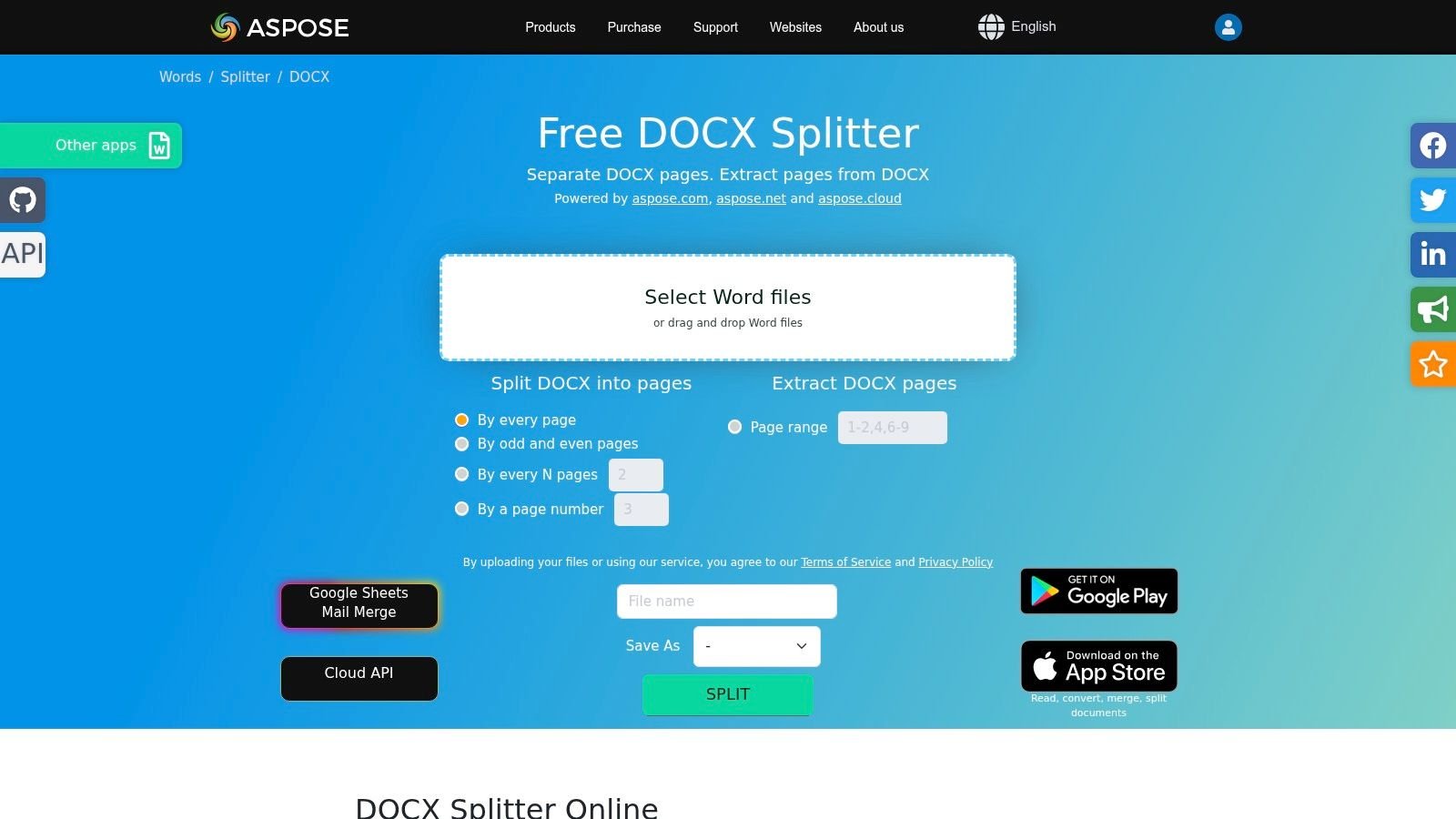
The best reason to use Aspose is flexibility at the output stage. A single workflow can move documents into DOCX, PDF, HTML, TXT, or image formats, which is useful when the split file is also the delivery format. The developer side is where it becomes more serious, because the SDK route supports split criteria that go beyond basic page extraction.
Practical rule: Use the browser app for low-risk, ad hoc work, then move to the SDK if you need repeatable heading or chapter splits in production.
The trade-off is clear. The web app runs on vendor servers, which may not fit strict data policies, and the more semantic split logic belongs in the SDK rather than the browser. For teams handling confidential material, that difference is usually the deciding factor.
Useful links: Aspose Words Splitter and the related data-processing-speed reference.
2. GroupDocs DOCX Splitter
GroupDocs is the cleaner choice when the job is straightforward page-based splitting and the team wants a web app that feels simple rather than overloaded. It handles splitting by specific page numbers or fixed intervals, so it works well for turning a single document into smaller deliverables without any setup. If the task is “give me page 1, page 2, and page 3 as separate files,” this is an efficient route.
The tool also matters because it sits inside a broader ecosystem. GroupDocs offers REST and cloud APIs for server-side workflows, which makes the web app a decent proving ground before committing to automation. That progression is useful in organizations that start with manual document handling and later need a governed pipeline.
The limitation is also obvious. The browser tool is built around page logic, not structural logic, so it doesn't give you a native split by heading workflow. For sensitive files, the same cloud-processing caution applies as with any upload-based tool.
- Best for: Page-number splits and every-N-pages batch jobs.
- Strength: Simple interface with a clear path to APIs.
- Watch out for: No heading-aware split in the web app.
- Good fit when: You need a generic splitter that can later become part of a broader document stack.
The website is GroupDocs DOCX Splitter, and it's the right kind of tool when you want the least ceremony possible around a repetitive page task.
3. Kutools for Word
Kutools is the strongest desktop option for people who already live inside Microsoft Word and need a structure-aware split without leaving the app. Its Split Document tool can divide by heading level, section break, page break, or page, which covers the most common real-world office scenarios. That range is valuable when the file has to stay visually consistent after separation.
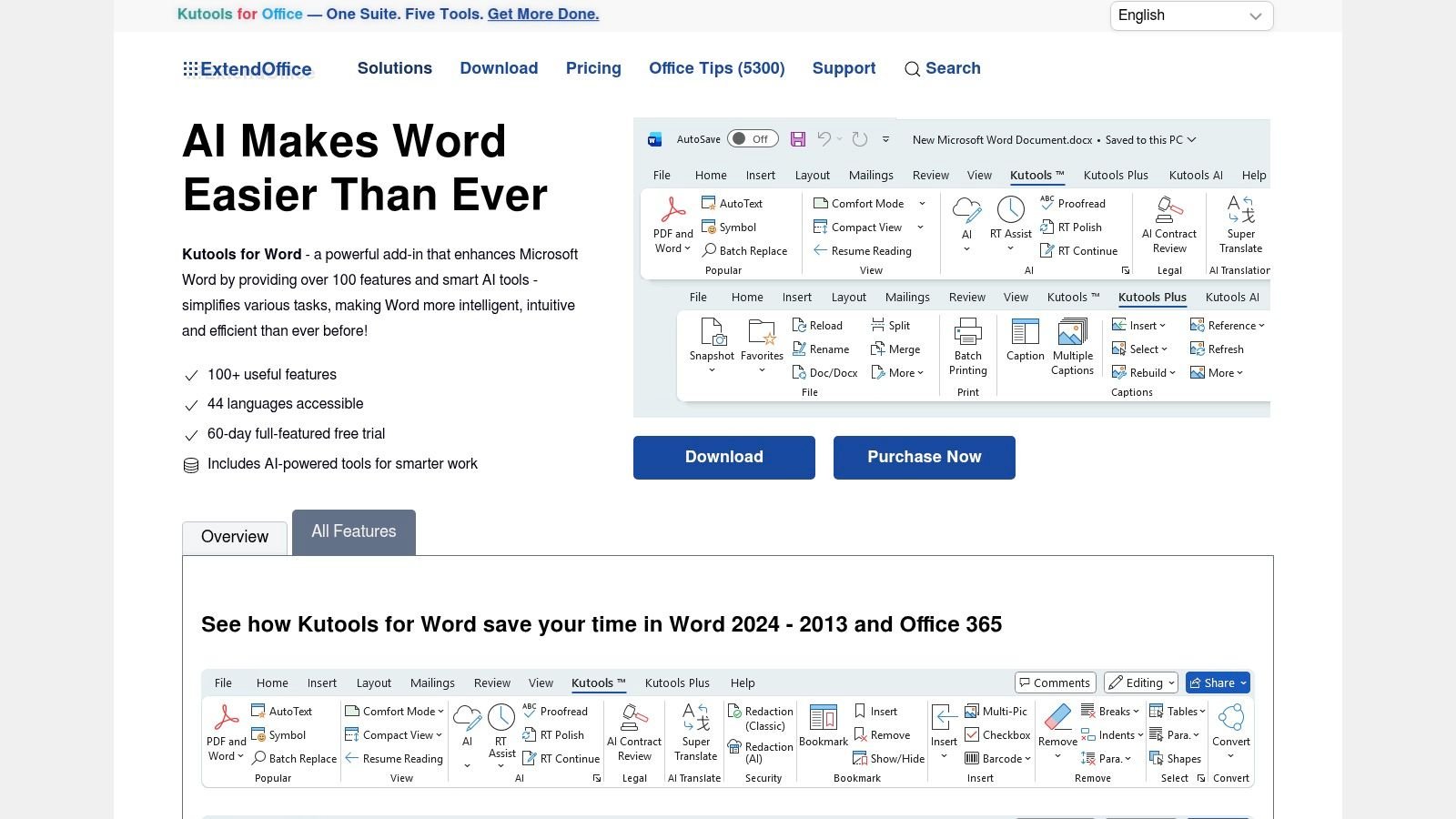
This is the kind of tool that saves cleanup time. Naming controls can pull from heading text and add prefixes, which helps when a large report becomes dozens of files and nobody wants to rename them manually afterward. Because it runs inside Word on Windows, it also avoids the upload issue entirely.
Practical rule: If the file's headings, headers, and footers matter, use a local Word add-in before you reach for a browser splitter.
The downside is cost and platform lock-in. It's a paid add-in after the trial, and it depends on the Windows desktop version of Word. That makes it less attractive for mixed-device teams, but excellent for office environments where Word is already the standard tool.
Useful link: Kutools for Word.
4. Greg Maxey Document Splitter
Greg Maxey's splitter is the best fit for users who want a free, local, auditable macro/template instead of a black-box add-in. It splits by pages, section breaks, Heading 1, or a custom delimiter, which gives it more control than many simple desktop utilities. For users who are comfortable inside Word's macro environment, that combination is hard to beat.
The visibility of the source code is the advantage. You can inspect it, tweak it, and adapt it to a document convention that your team uses. That's especially useful in firms or departments where the split boundary isn't a neat page number but a repeated marker or heading style.
The downside is operational, not functional. You need the right macro security settings, and the setup isn't as friendly as a polished commercial product. There's also no formal vendor support, so the tool works best for users who can troubleshoot their own Word environment.
This is the option for people who care more about transparency than polish.
That makes it a good choice for compliance-minded users who want local processing without sending files anywhere. It's also practical when document structure is predictable and the team wants the split logic to stay visible.
Useful link: Greg Maxey Document Splitter.
5. MS Word Split Pages Into Separate Files Software
Sobolsoft's utility is the most direct answer to one file per page splitting on Windows. It's a lightweight desktop app with a focused job, and that focus is the point. If a document is already stable and page count is the only thing that matters, this kind of tool keeps the workflow short.
The interface is intentionally simple, which helps when the task is repetitive and the user doesn't want to think through options. It's especially useful for batch-friendly page splitting where the same document type is processed over and over.
The limitation is just as narrow as the feature set. It doesn't offer heading-based or section-aware split logic, so it's not the right choice for reports that depend on internal structure. Fidelity can also depend on Word being installed, which makes it more of a document utility than a standalone publishing tool.
Useful link: MS Word Split Pages Into Separate Files Software.
6. Syncfusion Essential DocIO
Syncfusion fits cases where document splitting belongs in a backend pipeline rather than a desktop workflow. Its Word library can split by sections, headings, or bookmarks, so developers can map output to real document structure instead of treating every file like a page stack. That makes it practical for server jobs, internal systems, and document-generation services.
It also exports to multiple formats, so splitting can feed the next step instead of ending the workflow. A team can divide a document and then save parts as DOCX, RTF, HTML, PDF, or images, depending on what downstream systems expect. For eligible small teams, the Community License can lower the entry point, which is why this library often appears in prototypes that later move into production.
Implementation requires developer effort, a licensing decision, and a clear definition of how split ranges should be set. That trade-off suits teams that need repeatable automation more than a point-and-click utility.
This mastering guide is a useful reminder that implementation details matter as much as the tool itself, because a clean split routine only helps if the rest of the workflow is equally disciplined.
Useful link: Syncfusion Word document tools.
7. MESCIUS GcWord
MESCIUS GcWord suits teams that need precise, programmable splitting with direct control over the extracted range. Its SplitDocument and MergeDocuments APIs target DOCX automation, and formatting stays intact when each part is saved as a separate file. That makes it a practical fit for enterprise output where visual consistency cannot drift.
It works well for controlled document assembly. If a system produces long reports, contract packages, or structured deliverables, developers can split by range, keep the output predictable, and merge parts back when needed. That round-trip control matters when splitting sits inside a broader content lifecycle, not a one-off utility task.
This route also demands .NET development time and commercial licensing, so it stays out of reach for small teams still testing an idea. For teams that need exact, repeatable output inside their own infrastructure, that investment is justified.
Useful link: MESCIUS GcWord split and merge documentation.
8. GemBox.Document
A long report, a contract packet, or a structured export often needs programmatic page extraction instead of manual splitting. GemBox.Document fits that job in .NET environments where you want to avoid Word interop and keep the runtime predictable on a server. The evaluation build also makes early testing straightforward before a team commits to licensing.
The library is easy to work with if the split rule is pages, sections, or another defined range. The documentation and examples give developers a clear starting point, and that helps when document handling has to sit inside an internal application or automation job. For teams comparing toolchains, the machine-learning-algorithms reference is a reminder that this kind of splitting often lives inside a wider automated pipeline.
Heading-based splitting still requires custom logic, so developers need to build and test that rule themselves. Non-technical users seeking a desktop app will need a different solution, as GemBox.Document requires coding to use.
Useful link: GemBox.Document.
9. Wordize Word Splitter
Wordize is a simple browser-based option for people who want to upload a DOCX file and split it without thinking about setup. It's a low-friction way to handle occasional jobs, especially when the task is basic page or segment division and the user just wants results quickly. For one-off work, that simplicity is often enough.
The interface is the main selling point. There's no local installation, no add-in to manage, and no desktop Word requirement. That makes it a reasonable choice for users working from a borrowed machine or a lightweight workstation.
The limitation is the same one that comes with most basic browser splitters. It doesn't compete with add-ins or SDKs on structure, automation, or compliance depth. If a team handles sensitive files, the upload question needs to be answered before the tool becomes part of a workflow.
Useful link: Wordize Word Splitter.
10. WizardOfAZ Split DOCX by Page Breaks
WizardOfAZ is the niche choice for files already built around manual page breaks. That makes it different from general page splitters, because it honors the author's intentional breakpoints instead of relying on pagination that might shift if formatting changes. For a document prepared with deliberate page breaks, that produces stable and repeatable splits.
The browser workflow is lightweight and easy to understand. There's no installation step, and the files are split in a way that reflects the original author's structure. That's especially handy for templates, course packets, or content sets where the manual breaks were inserted on purpose.
The limitation is the flip side of that strength. It doesn't split by headings or sections, and it depends on the document already having manual breaks in the right places. It's also a small publisher's tool, so teams should evaluate it against their own data policy before making it part of regular work.
Useful link: WizardOfAZ Split DOCX by Page Breaks.
Top 10 Word Document Splitters, Feature Comparison
| Tool | Core features ✨ | Quality ★ | Price/Value 💰 | Target audience 👥 | Unique selling points 🏆 |
|---|---|---|---|---|---|
| Aspose Words Splitter (Aspose) | Browser app + SDKs; page & heading/chapter splits; many export formats ✨ | ★★★★ | 💰 Free web tier; SDKs commercial | 👥 Developers & teams scaling automation | 🏆 Broad format output + SDK for advanced splits |
| GroupDocs DOCX Splitter (GroupDocs) | Web splitter (page/N-page); supports many formats; REST/cloud SDKs ✨ | ★★★ | 💰 Free web; paid APIs for enterprise | 👥 Casual users & orgs moving to APIs | 🏆 Simple UI + multi-format support |
| Kutools for Word (ExtendOffice) | Word add-in: split by heading/section/page; auto-naming; 100+ utilities ✨ | ★★★★ | 💰 Paid license after trial | 👥 Windows desktop Word users, non-devs | 🏆 Preserves headers/footers; in-Word heading splits |
| Greg Maxey Document Splitter (macro) | Word macro/template: pages, sections, Heading 1, custom markers ✨ | ★★★ | 💰 Free | 👥 Power users, auditors, macro-savvy admins | 🏆 Free, auditable source code; local processing |
| MS Word Split Pages Into Separate Files (Sobolsoft) | Desktop utility: split each page into its own DOCX; batch UI ✨ | ★★★ | 💰 One-time paid utility | 👥 Users needing one-file-per-page Windows tool | 🏆 Very fast, lightweight for page-based splits |
| Syncfusion Essential DocIO (Syncfusion) | .NET API: split by sections/headings/bookmarks; many export formats ✨ | ★★★★★ | 💰 Community license for small teams; commercial for enterprise | 👥 Developers & enterprise back-end pipelines | 🏆 Production-grade, high-volume .NET API |
| MESCIUS GcWord (Document Solutions) | .NET SDK: SplitDocument/MergeDocuments, preserve formatting ✨ | ★★★★ | 💰 Commercial SDK (trial available) | 👥 Enterprise .NET developers | 🏆 Fine-grained programmatic control; formatting fidelity |
| GemBox.Document | .NET library: extract/save pages, work with sections; examples & POC build ✨ | ★★★★ | 💰 Per-developer licensing; free evaluation | 👥 Developers, small teams doing POCs | 🏆 Lightweight, no Word interop; clear pricing tiers |
| Wordize Word Splitter (Wordize) | Browser-based DOCX upload & split; minimal UI for ad-hoc jobs ✨ | ★★★ | 💰 Free/adhoc online | 👥 Occasional users without installs | 🏆 Minimal friction for quick splits |
| WizardOfAZ Split DOCX by Page Breaks (WizardOfAZ) | Browser tool honoring manual page breaks; stable, repeatable splits ✨ | ★★★ | 💰 Free | 👥 Authors using manual page breaks | 🏆 Matches intentional manual breaks; predictable output |
Match the Split Method to the Document
The right word document splitter is the one that matches the document's real boundary, not the one with the most buttons. Choose an online app when the file is low-sensitivity and the task is occasional page work. Use Kutools for Word or the Greg Maxey macro when the split should happen inside Word and the output has to keep headings, section breaks, headers, and footers intact. Reach for a lightweight desktop utility like Sobolsoft when the only job is one file per page and you want the shortest possible path from open to export.
For repeatable work, structure-aware automation is usually the better investment. Syncfusion Essential DocIO, MESCIUS GcWord, and GemBox.Document make sense when the split logic belongs in a backend process, a document service, or an application that needs to run the same way every time. If the team may later move from manual splitting to API-driven workflows, Aspose and GroupDocs give you a clearer path from browser convenience to developer control.
A quick verification pass saves a lot of cleanup later. Check that the output file names are meaningful, the formatting still matches the source, headers and footers survived, section boundaries stayed intact, and page counts line up with what you expected. If the file was uploaded to a browser tool, read the privacy policy before the next use, because metadata, tracked changes, and embedded properties can still matter even after the visible split is done.
If you're trying to reduce manual stitching across Word and PDF workflows, DocuCraft can help you handle adjacent document tasks in one place, including organization, conversion, and secure file handling. Visit DocuCraft to see how its production-style workflow can support the same kind of document control you need when splitting files for review, reuse, or delivery.